
ProfitJam brings your website, content, marketing, customer records, and AI business context into one connected platform. WordPress provides a flexible website and content-management foundation that you can extend with plugins and services. The main choice is an integrated setup versus assembling the combination of tools that suits your business.
This comparison covers self-hosted WordPress, rather than the separately hosted WordPress.com service.
Is ProfitJam a serious website builder?
Visual website design is a core part of ProfitJam. Its builder includes grids, detailed spacing and typography controls, responsive layouts, reusable sections, and hover effects. You can design and refine pages without writing HTML, alongside the tools you use to market the business.
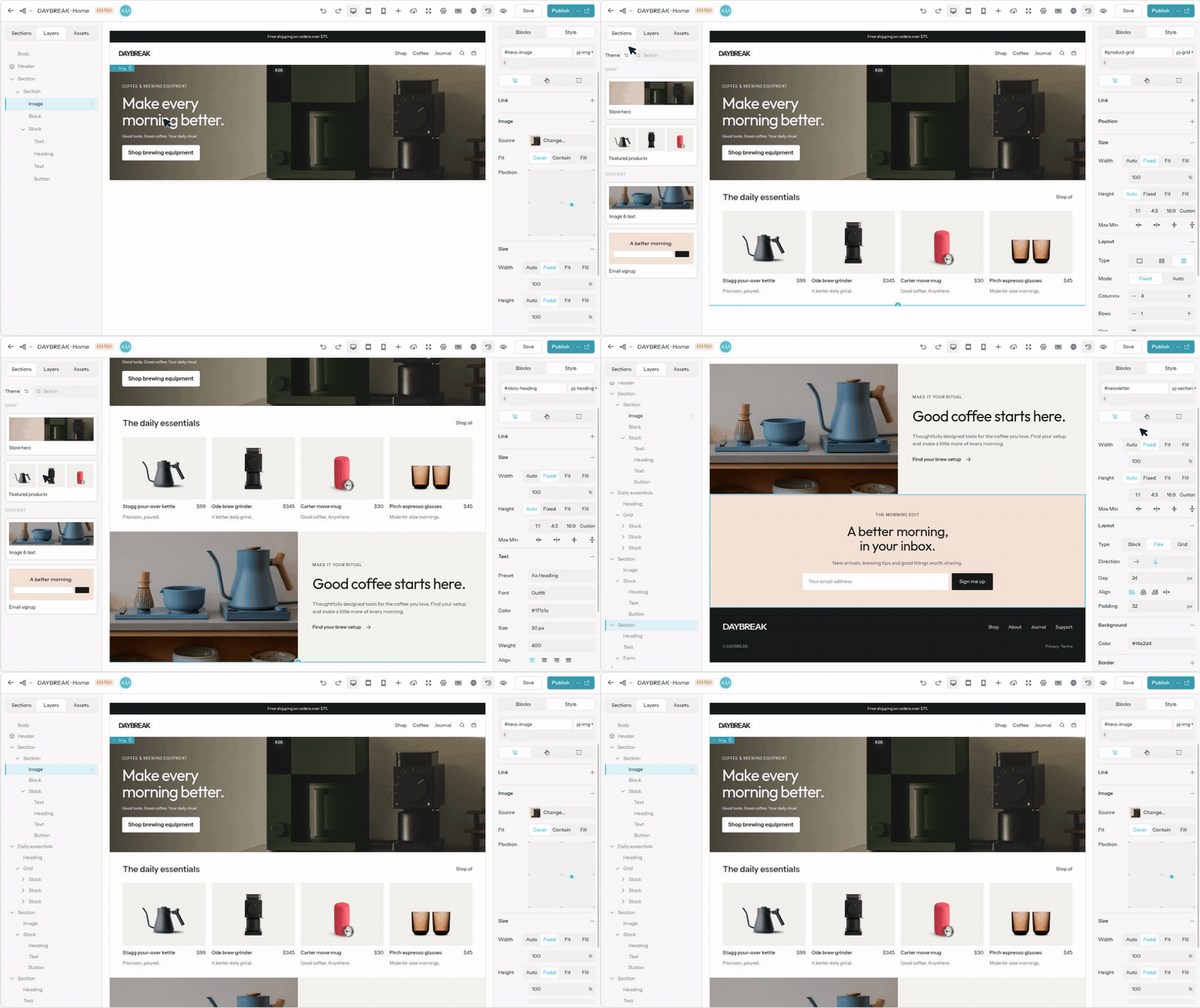
WordPress also offers visual editing through blocks and its Site Editor. Themes and optional page-builder plugins give you different design approaches. ProfitJam brings its own builder into the wider marketing workflow.
What does the integrated setup include?
ProfitJam connects the website and CMS with blog, social, and email publishing, campaigns, customer records, conversations, and follow-up. Its Media Studio provides tools for creating marketing assets, while catalogs and checkout support selling through the website.
The Business Brain gives connected AI tasks shared context about your business, audience, offers, and brand voice. The benefit is being able to move from business context to content, website, and follow-up within the same platform.
WordPress already includes core publishing and media features. To build a broader marketing setup, you select the additional plugins, integrations, and services you want. That offers considerable choice, along with responsibility for how the pieces work together.
Can Claude or Codex work with ProfitJam?
Yes. ProfitJam’s MCP connection lets compatible assistants, including Claude and Codex, work with supported features such as pages, blog drafts, and collections. You can ask for a website change, then refine the editable result in ProfitJam.
WordPress also has an official MCP Adapter. Its available actions depend on the capabilities enabled on the site. The distinction is the connected ProfitJam workflow, rather than MCP being exclusive to ProfitJam.
Are collections only for blog posts?
No. ProfitJam collections can organize projects, team members, locations, guides, and other content with their own fields and relationships. Design how that content appears, then maintain the records separately. WordPress also supports custom content types, configurable through plugins or code.
How should you compare the costs?
WordPress software is free, and many plugins are free. Hosting, premium extensions, external services, and maintenance support can add costs depending on your setup. It would be inaccurate to say that every WordPress feature requires a paid plugin.
ProfitJam brings these areas into one product, but feature access, allowances, and add-ons depend on the plan you choose. Compare the complete setup your business needs, including usage and service fees, rather than assuming either approach is always cheaper.
Which approach fits your business?
ProfitJam suits a business that wants its website and marketing tools to work together in one workspace. WordPress suits a business that values choosing its own host, plugins, and specialist services, or needs a particular custom setup.
ProfitJam vs. WordPress at a glance
Website and CMS. ProfitJam: Visual page builder, blog, and flexible collections. WordPress: Core publishing and site editing; extend with themes, plugins, or custom development.
Marketing. ProfitJam: Blog, social, email, and campaign tools in the same workspace. WordPress: Combine the website with the marketing plugins and services you choose.
Business Brain. ProfitJam: Shared context about your business, audience, offers, and voice for connected AI work. WordPress: Business context depends on the AI tools and integrations you configure.
AI assistants. ProfitJam: MCP tools let Claude, Codex, and other compatible assistants work with supported ProfitJam features. WordPress: MCP is available through adapters; supported actions depend on the site's enabled capabilities.
Contacts and follow-up. ProfitJam: Customer records, conversations, and follow-up tools within the platform. WordPress: Add CRM and follow-up capabilities through plugins or connected services.
Media and commerce. ProfitJam: Media Studio, catalogs, and checkout are available within ProfitJam. WordPress: Choose media, commerce, and payment extensions or services for your setup.
Hosting and costs. ProfitJam: Hosting and platform features under ProfitJam plans, with plan limits and optional add-ons. WordPress: Choose a host; total cost depends on hosting, plugins, services, and any maintenance support.
Reviewed October 21, 2026. This comparison is published by ProfitJam. Sources: official WordPress documentation linked above, ProfitJam’s platform overview, and current plan details.
